

Pinterest Video Downloader
Download Pinterest videos and images for free in HD quality. Fast, simple, no watermark. Works on all devices - iPhone, Android, PC. No registration required.


How to Use Pinterest Video Downloader
Download Pinterest videos in Full HD, 2K, and 4K quality with our free Pinterest video downloader. No software installation required.
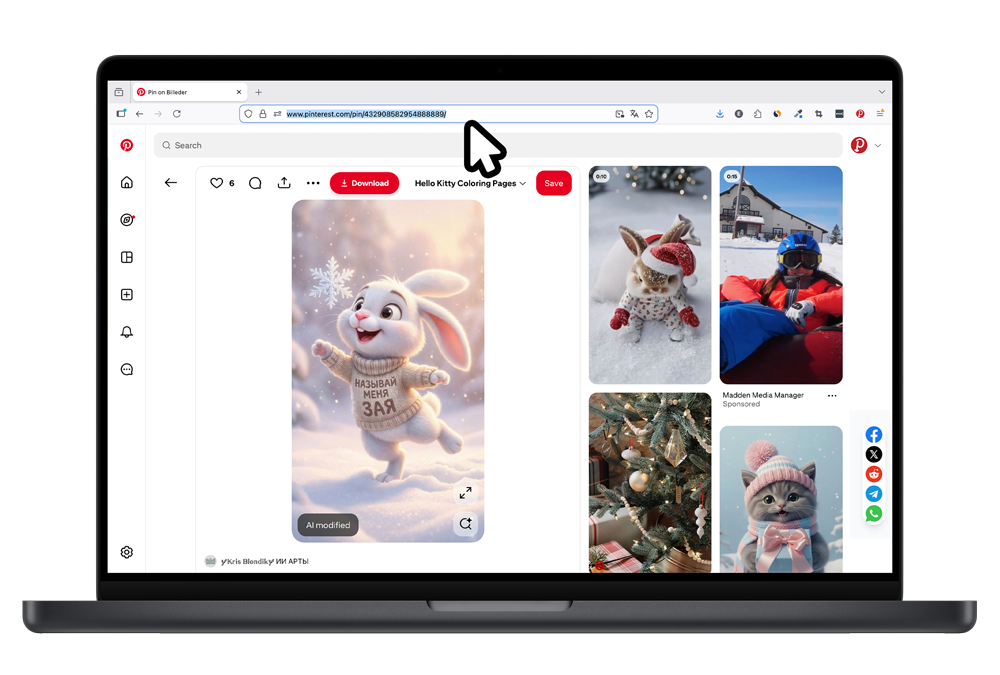
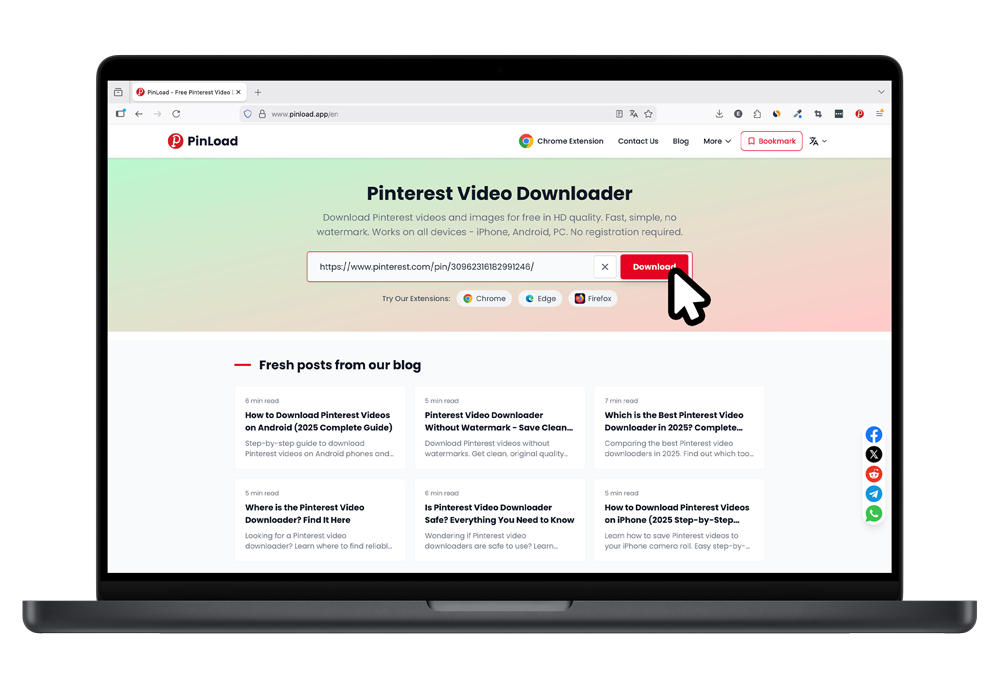
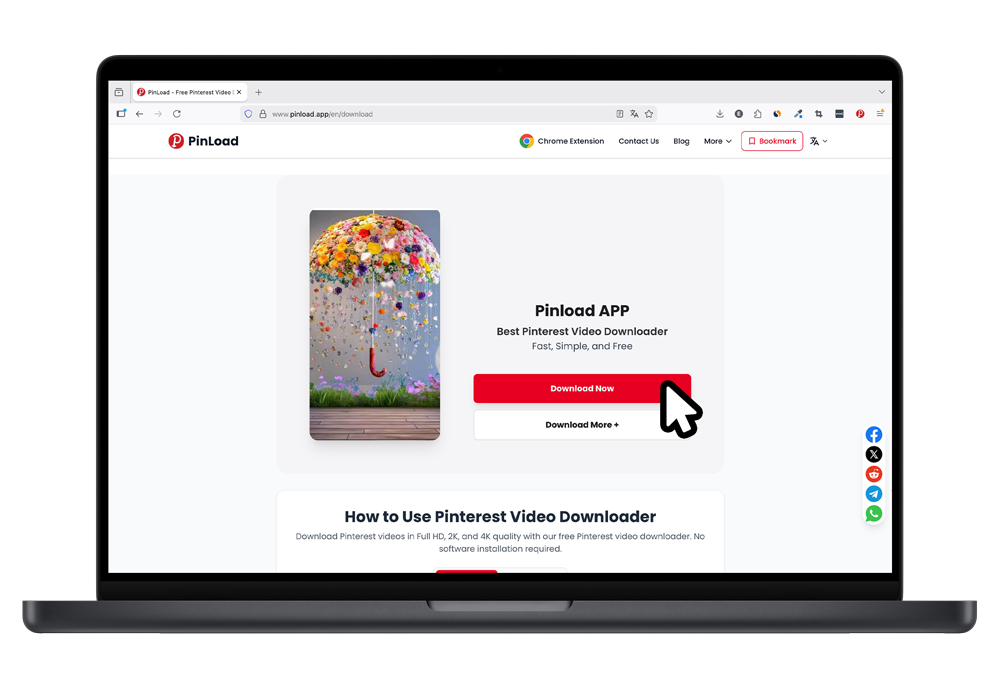
Find the Pinterest Video
Go to Pinterest.com and find the video you want to download. Our Pinterest video downloader works with all Pinterest URLs.
Copy the Pinterest Video URL
Copy the video URL from your browser address bar using Ctrl+C (Windows) or Cmd+C (Mac).
Paste Link in Our Pinterest Video Downloader
Come to PinLoad.app and paste the Pinterest video URL into the download box. Click the Download button.
Why Choose PinLoad Pinterest Video Downloader
The best free Pinterest video downloader for HD and 4K video downloads. Here's why millions trust our tool.
HD & 4K Pinterest Video Downloads
Our Pinterest video downloader extracts videos in the highest quality available - Full HD 1080p, 2K, and 4K. Get the original Pinterest video without any compression or quality loss.
No Watermark on Pinterest Videos
Download Pinterest videos without any watermarks or logos. Our Pinterest video downloader fetches the original file directly, giving you clean videos ready for any use.
Download Pinterest Videos & Images
Not just a Pinterest video downloader - also download high-res images, GIFs, and Idea Pins. One tool for all your Pinterest download needs.
Pinterest Video Downloader for All Devices
Use our Pinterest video downloader on iPhone, Android, PC, Mac, or tablet. Works in any browser - no app installation needed to download Pinterest videos.
Free Pinterest Video Downloader
Our Pinterest video downloader is 100% free with unlimited downloads. No registration, no hidden fees - just paste the link and download your Pinterest videos.
Fast & Safe Pinterest Video Downloads
Download Pinterest videos in seconds with our optimized servers. We don't store any videos or personal data. Your Pinterest video downloads are completely private.
Pinterest Video Downloader Tutorial
Watch how easy it is to download Pinterest videos with PinLoad.
What Users Say About Our Pinterest Video Downloader
Join thousands who use PinLoad to download Pinterest videos daily
Sarah Henderson
Food Blogger
"This is the best Pinterest video downloader I've found. I've tried many tools but PinLoad is the only one that consistently downloads HD videos without issues. Perfect for saving recipe videos and tutorials."
Marcus Thorne
Social Media Manager
"As a social media manager, I need a reliable Pinterest video downloader. PinLoad's Chrome extension is a game changer - I can download Pinterest videos with one click without leaving the page. Highly recommend!"
Elena Petrova
UI/UX Designer
"Finally a Pinterest video downloader that works on my iPad! The video quality is excellent and there are no watermarks. I use it to download design inspiration videos for my mood boards."
Pinterest Video Downloader Updates
Browser Extensions
New browser extensions for Chrome, Edge, and Firefox.
21 Languages Support
Our Pinterest video downloader now supports 21 languages.
4K Video Support
Enhanced Pinterest video downloader now supports 4K video extraction.
All Domains Supported
Pinterest video downloader now works with all country domains.
PinLoad Launch
Initial release of our free Pinterest video downloader.
Pinterest Video Downloader FAQ
Common questions about downloading Pinterest videos
Important Notice
PinLoad is a free tool designed for personal use only. All content on Pinterest belongs to the original creators. Please respect copyright laws and only download content for personal, educational, or reference purposes. Do not use downloaded content for commercial purposes or redistribute without permission. We do not store any videos or images on our servers. Learn more about our DMCA Policy and Copyright Notice.